


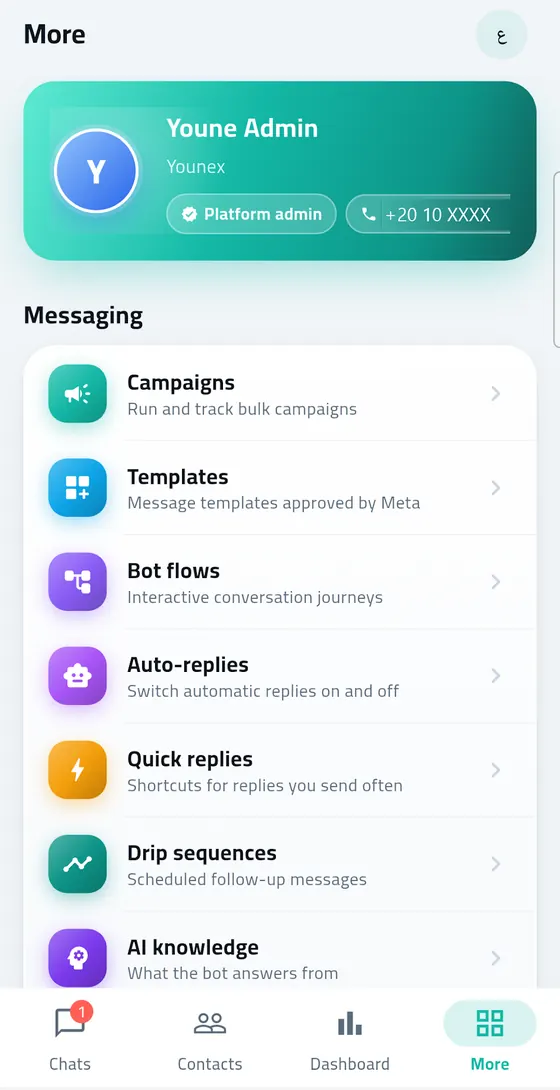
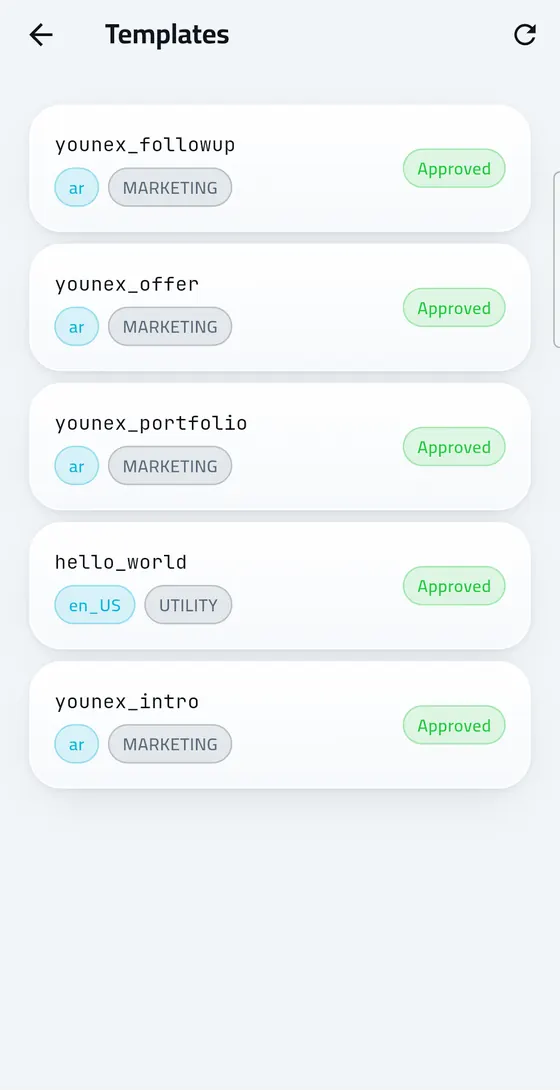
Younex Solutions designed, built and operates Marsal Cloud, a SaaS platform for managing companies' conversations on Meta's official WhatsApp Business API. The platform brings together in one Arabic dashboard a shared team inbox, broadcast campaigns with approved templates, automated replies powered by AI, a system for managing leads, and integrations with online stores. And the platform serves companies in Egypt and the Gulf states through the web, an Android app and a program for Windows.
Project overview
Marsal Cloud is a product Younex owns and develops entirely, not a project delivered for an external client. Its idea set out from a recurring need the Younex team noticed while working with companies: these companies rely on WhatsApp as the first channel of contact with their customers, but manage it from one phone or from the WhatsApp Business app, so conversations are lost between employees, response speed cannot be measured, and there is no organised sending that adheres to Meta's policies.
The platform was built on the official WhatsApp Cloud API, and designed as a multi-tenant system; every business that registers gets an independent workspace with its own data, team, numbers and settings, without any overlap with the other businesses. And a business owner can register themselves, connect their number to WhatsApp from inside the dashboard, then begin replying to customers, launching campaigns and enabling the automation, without needing a technical team.
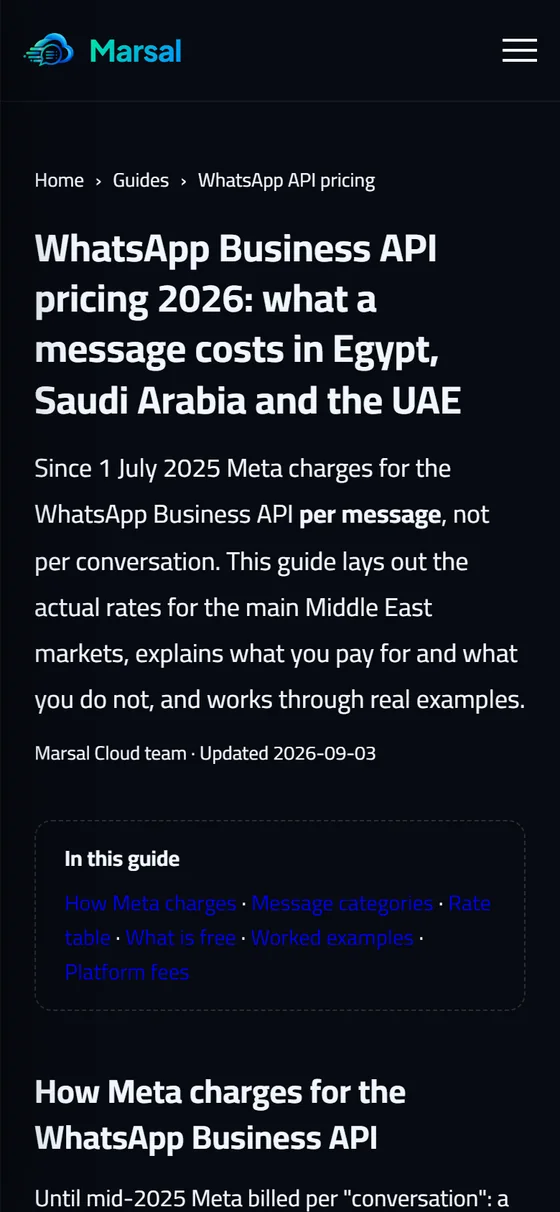
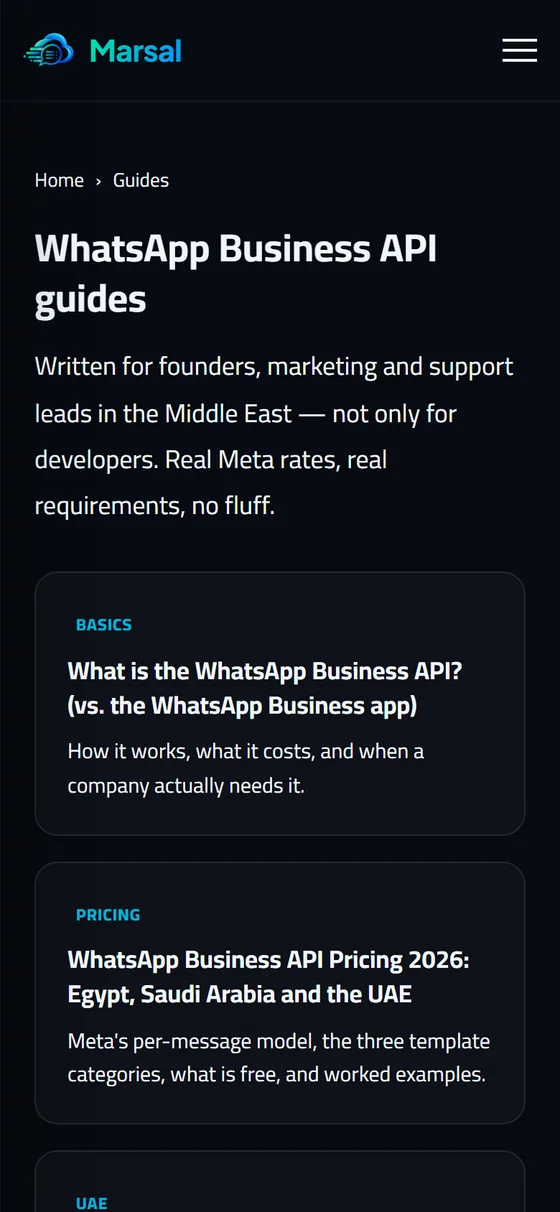
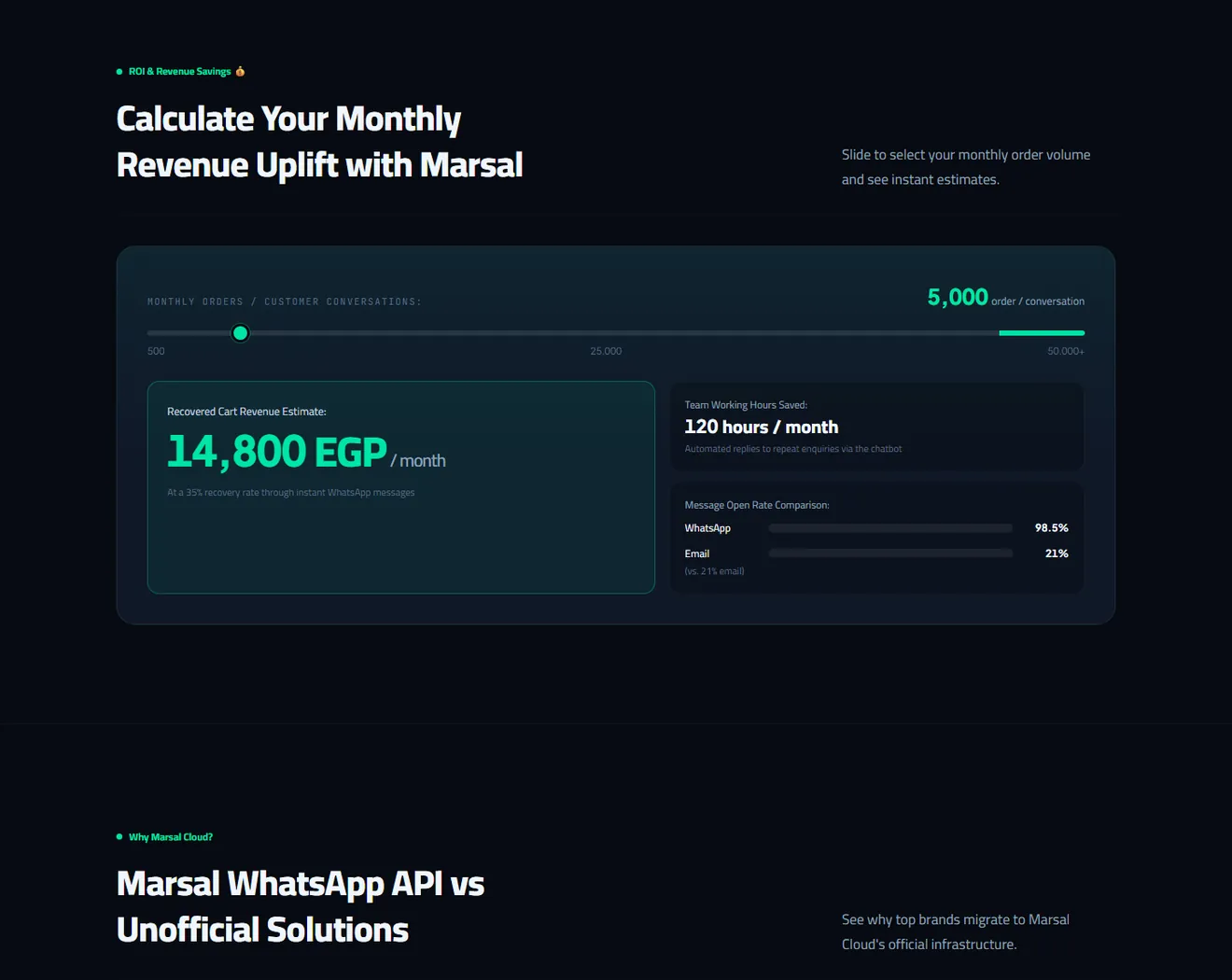
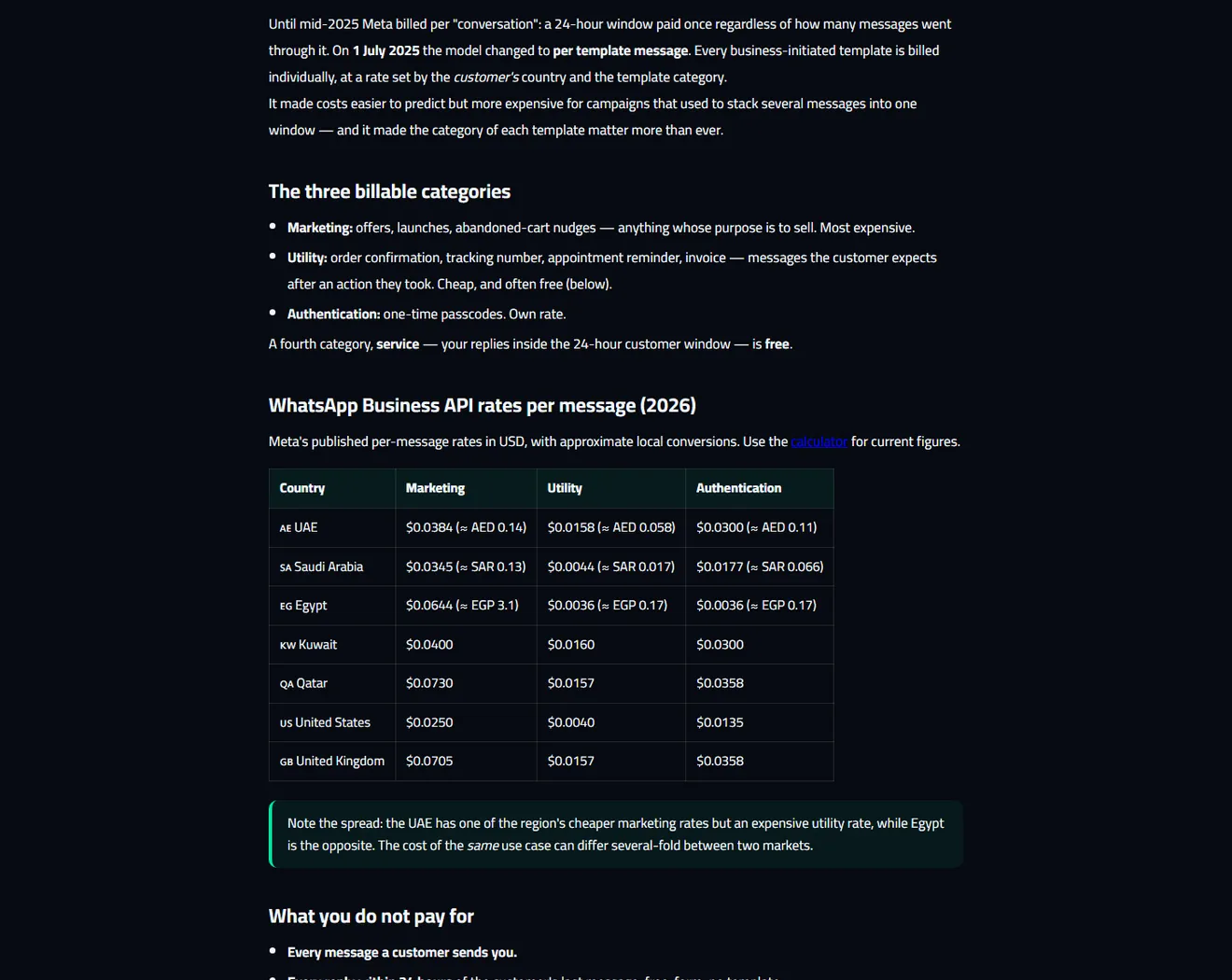
The platform runs on its own independent domain usemarsal.cloud, and comprises a complete dashboard, a programming interface for developers, and a set of Arabic guides explaining the use of the WhatsApp API in Egypt and Saudi Arabia, in addition to a calculator for estimating the cost of Meta's messages by country and message type.
The client and the sector
The product here is Marsal Cloud itself, and the target market is the companies, stores and customer service teams in Egypt and the Gulf states, foremost among them Saudi Arabia. In these markets WhatsApp is the channel the customer prefers for enquiries, orders and complaints, while companies need a tool turning this channel from an individual chat into a genuine operating system for customer service and sales.
The groups the platform serves are varied, including:
- Online stores: selling through Salla, Zid, Shopify, WooCommerce and EasyOrder, and needing order and shipping notifications and abandoned cart recovery.
- Retail chains and multi-branch companies: receiving complaints and suggestions from customers in different cities, and needing to distribute the conversations and link them to the relevant branch.
- Service companies and agencies: relying on qualifying leads and booking meetings with them before presenting a proposal.
- Technical teams and developers: needing a programming interface for sending messages and verification codes from their own systems.
And this market requires a fully Arabic interface, content ready in Arabic, and an understanding of the nature of Meta's pricing models in each country, elements Younex placed at the heart of the product's design from the start.
The challenge
Building a WhatsApp platform for companies is a task going beyond sending and receiving messages; it brings together strict technical requirements from Meta, the expectations of users accustomed to the ease of the WhatsApp app, and operational needs differing from one business to another. And the most prominent challenges were as follows:
- The complexity of connecting the number: activating the WhatsApp Cloud API usually goes through technical steps inside Meta accounts that an ordinary business owner cannot complete alone.
- Team working on one number: companies need several employees to reply from the same number, with a fair distribution of the conversations, a smooth handover between employees, and a clear view of who is handling each conversation.
- Adhering to the sending policies: messages outside the twenty-four-hour window require approved templates, and respecting a customer's wish to stop receiving messages is an essential condition for protecting the number from restriction.
- Automation that does not lose the human touch: what is required is intelligent automated replies that know when to stop and hand the conversation to an employee, not a bot that replies to everything without limits.
- The differing needs of each business: what suits a store relying on sales does not suit a customer service department receiving complaints, and the platform has to adapt to both cases without programming changes.
- Data isolation and security: in a platform serving multiple businesses, no workspace must reach another's data, and the connection keys with Meta must be stored securely.
- Access from anywhere: customer service teams do not always sit in front of a browser, and need immediate notifications and a fast reply from the phone and the computer.
The solution Younex delivered
Younex treated Marsal Cloud as a complete product built in stages, beginning with a solid technical foundation then having the functional layers added in turn, with every feature reviewed in the live environment before being adopted. It is the same approach Younex offers its clients in its systems and software development service.
A multi-tenant structure from day one
The database was designed so that every operation is linked to the workspace it belongs to, with graded permissions for the owner, the manager, the employee and the platform supervisor. And any business can register itself by email or with a Google account, with email confirmation and acceptance of the terms, then begin directly in its own workspace.
Connecting WhatsApp at one tap through Embedded Signup
The embedded signup flow Meta provides was integrated into the numbers page, so the client connects their number and their WhatsApp Business account from one window, and the platform automatically takes on registering the number, discovering its identifiers and subscribing to the message notifications, then routing every incoming message to the correct workspace.
An inbox with an experience close to WhatsApp
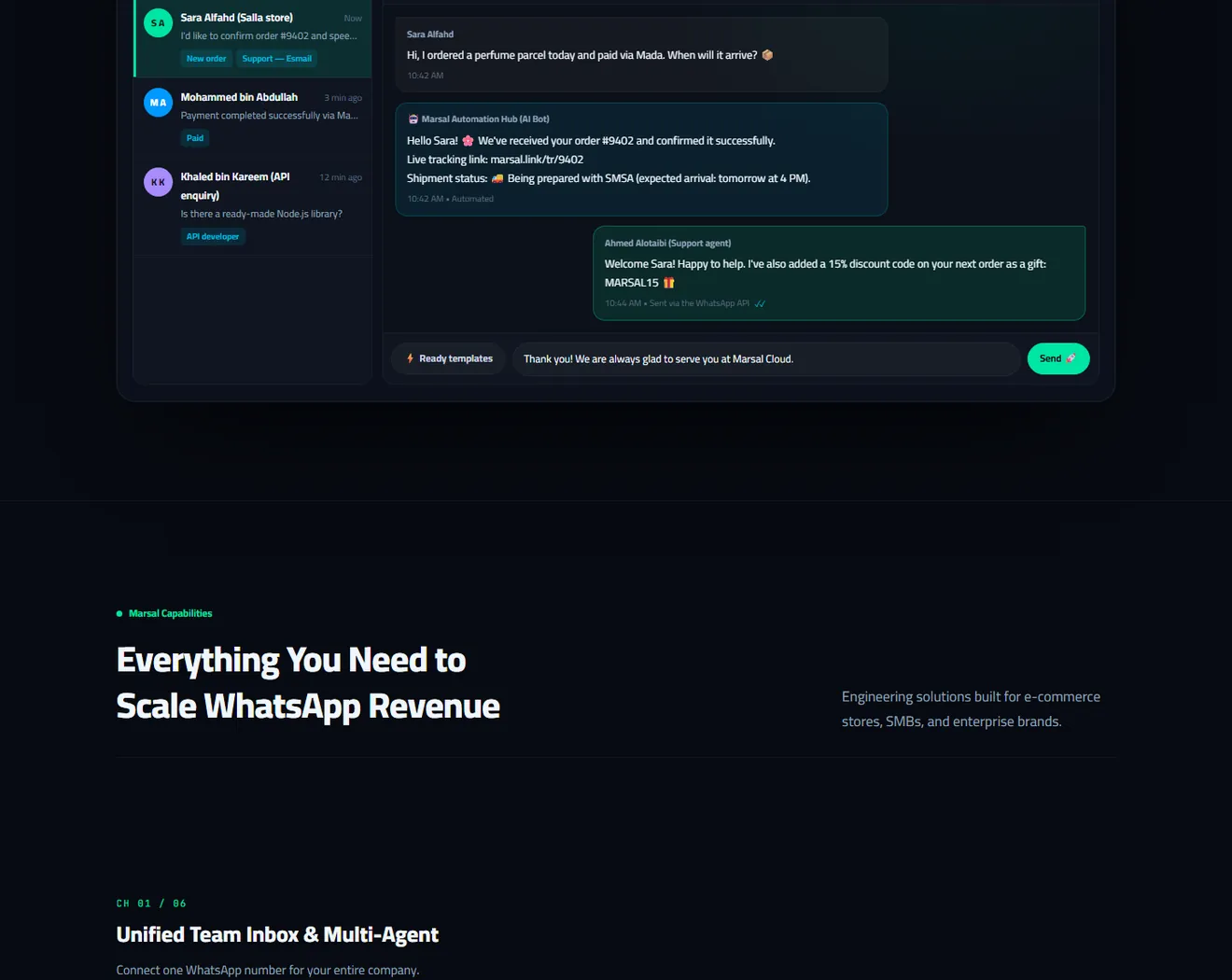
The inbox was built to make the employee feel they are using a familiar WhatsApp, but with the capabilities of a whole team: sending images, files and voice messages, replying to a particular message and reacting to it, live updating of the conversations, automatic distribution to available employees, and internal notes for handover between employees.
Disciplined artificial intelligence
The platform relied on OpenAI and Gemini models to provide automated replies drawing on a knowledge base each business feeds, with an adjustable tone, an automatic stop the moment an employee intervenes, and a sales agent that qualifies the customer and books the meeting without mentioning prices. And these controls reflect Younex's experience in building AI chatbots.
Customisation for each workspace without programming
Instead of imposing one model on everyone, the characteristics that differ between businesses were turned into settings each client enables themselves: the lead stages, the service types, the branches, showing the deal value, the working hours, the customer satisfaction survey, and the visual identity in the higher package.
Technical specification
| Item | Detail |
|---|---|
| Product type | A multi-tenant SaaS platform, each business with an independent workspace with its team, numbers and data |
| Messaging channel | Meta's official WhatsApp Cloud API, with numbers connected through Embedded Signup and events received through signed webhooks |
| Server and database | PHP 8.3 with a MySQL database on a private cloud server, with scheduled jobs for the campaigns, sequences and synchronisation |
| Interface | A dashboard in Vanilla JavaScript with an Arabic and English interface, responsive on desktop, tablet and phone |
| Artificial intelligence | OpenAI and Gemini for automated replies, reply suggestions, translation and customer classification, with a knowledge base and a consumption ceiling by package |
| Store integrations | Salla, Zid, Shopify, WooCommerce, EasyOrder through webhook links specific to each workspace |
| Google services | Sign-in with a Google account, synchronising the reports with Google Sheets, and booking meetings through Google Calendar and Google Meet |
| Developers | A REST API with keys specific to each workspace, outgoing webhooks signed with HMAC-SHA256, and a documentation page with examples in several programming languages |
| Applications | The "Marsal Cloud" Android app on Google Play built in Flutter with Firebase Cloud Messaging notifications, and a program for Windows |
| Security and subscriptions | Isolation of each workspace's data, encryption of the connection keys, CSRF protection, login attempt limiting, and subscription packages with online payment through EasyKash |
The features delivered
The inbox and team management
- A shared inbox with live updating, and search across customers' names, numbers and message text.
- Automatic distribution of the conversations in rotation or at random to the connected and available employees only.
- Automatic redistribution of a conversation if the responsible employee becomes unavailable, with a complete record of each conversation's movement.
- Internal notes for handover between employees, ready replies, and scheduling a message to be sent at a later time.
- Permissions defining what each employee sees, so that an employee sees only the conversations assigned to them unless granted supervisory permission.
- Translation of incoming messages within the conversation, and voice messages, images and files in both directions.
Automation and artificial intelligence
- Automated replies by keyword, a welcome message, and an out-of-hours message, with a master switch that stops all the automation.
- A visual no-code flow builder with interactive buttons, with a simulator for trying the flow before enabling it and a transfer to an employee when needed.
- AI replies from the business's knowledge base, with a choice of a formal or friendly tone.
- A sales agent gathering the customer's details question by question, mentioning no prices, booking a meeting and sending a Google Meet link automatically.
- Automatic classification of the leads by their level of interest and the type of service required.
- Sequences of successive messages that stop automatically when the customer replies.
Campaigns and templates
- Creating WhatsApp templates and sending them for Meta's approval and synchronising their status automatically, including verification code templates.
- Bulk campaigns with variables filled from the customer's data, with scheduling, pausing, resuming and following the delivery and reading.
- Audience segments by tag, and importing contacts from CSV files.
- Respecting message stop requests automatically, and excluding those who have unsubscribed from the campaigns.
- A ready Arabic library of templates, flows, campaigns and quick replies that can be added at one tap.
Sales and integrations
- A drag-and-drop kanban board for the leads, with stages customisable for each workspace.
- Tracking the conversations coming from Facebook and Instagram advertisements that direct the customer to WhatsApp.
- Managing the product catalogue and the WhatsApp business profile from inside the platform.
- Order confirmation, shipping and abandoned cart recovery notifications from five e-commerce platforms.
- A programming interface for sending messages and verification codes, and outgoing webhooks for connecting with Zapier, Make and internal systems.
Reports and quality
- Reports with the average response time, each employee's performance, the open conversations, and the campaign results.
- A customer satisfaction survey after a conversation closes with its statistics.
- Exporting the reports to an Excel file in sound Arabic, and a daily automatic synchronisation with Google Sheets.
How the project ran
- The technical foundation: building the multi-tenant structure, connecting to the WhatsApp Cloud API, receiving the messages through webhooks, and encrypting the connection keys.
- The inbox and the team: developing the conversation experience, the media, the live updating, the automatic distribution, the permissions, and the handover record between employees.
- Organised sending: building the template, campaign and segment management, with the approval and unsubscribe mechanisms.
- Automation and artificial intelligence: adding the automated replies, the flow builder, the intelligent replies, the knowledge base and the consumption control.
- The shift to a SaaS product: self-registration, connecting the numbers through Embedded Signup, the packages and online payment, restricting the features by package, and the legal pages.
- Integrations and developer tools: connecting the online stores, the programming interface and its documentation, the outgoing webhooks, and the Google services.
- Security audit: a comprehensive review of the data isolation between workspaces, and securing the file uploads, the payment links and the sign-in.
- The applications: developing a native Android app in the Flutter framework on top of the platform's programming interface, and launching a Windows program with instant notifications.
- Continuous development: adding competitive features such as the sales agent, advertising source tracking, translation, the satisfaction survey and report export, based on the businesses' actual usage.
User experience and design
The design philosophy rested on the user feeling familiarity from the first minute; so the inbox was designed along the lines of WhatsApp Web: message bubbles in familiar colours, the delivery and read marks, the day separators, and the usual conversation background, with a composer bar comprising the emoji, attachments, voice recording and ready replies. And the send appears immediately in the conversation before the upload completes, with a progress indicator and the ability to cancel, so the employee does not wait or repeat the send.
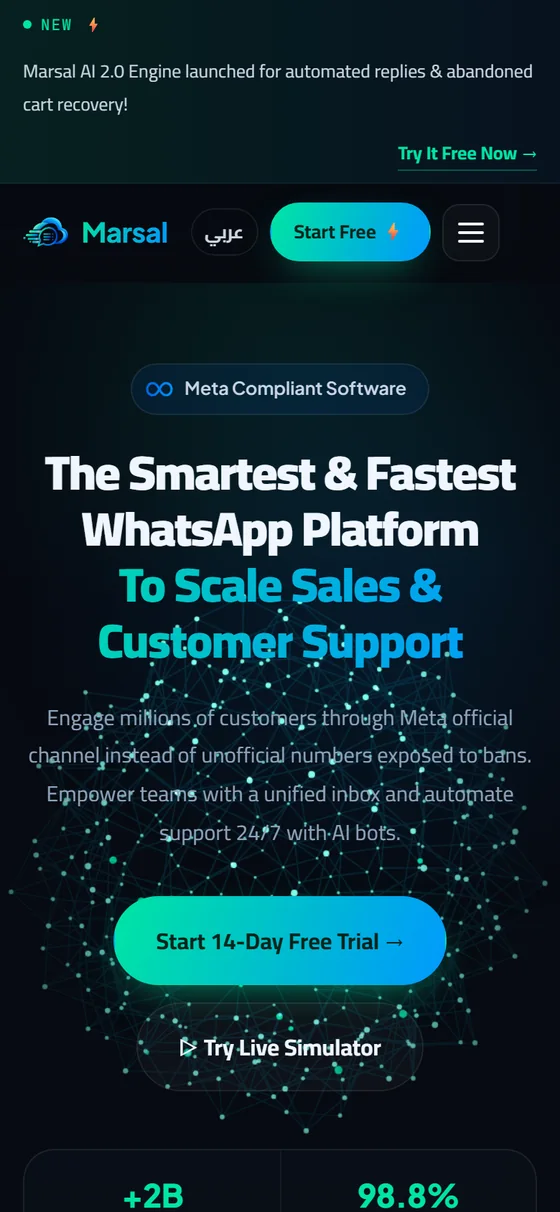
Marsal's identity rests on a logo bringing together the chat bubble and the cloud, with gradients between a turquoise-leaning green and blue, and the home page comes with a modern dark design presenting the features, a conversation simulator, the integrations and a package comparison table, with the Cairo typeface for the Arabic text. As for the dashboard, it has a light interface comfortable for long use, and a sidebar organised into groups for messaging, audience and settings.
It was observed on every screen that it should work on a laptop, a tablet and a phone; the sidebar turns into a sliding drawer on small screens, and the composer field becomes a full line so it does not narrow. And each employee sees only the items permitted to them, so the interface stays simple and does not present pages they cannot use.
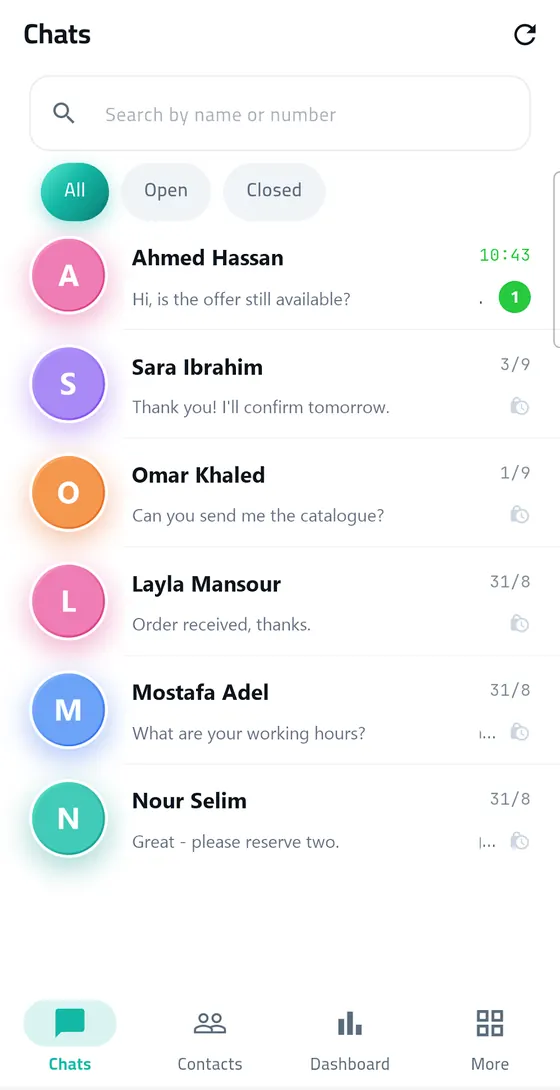
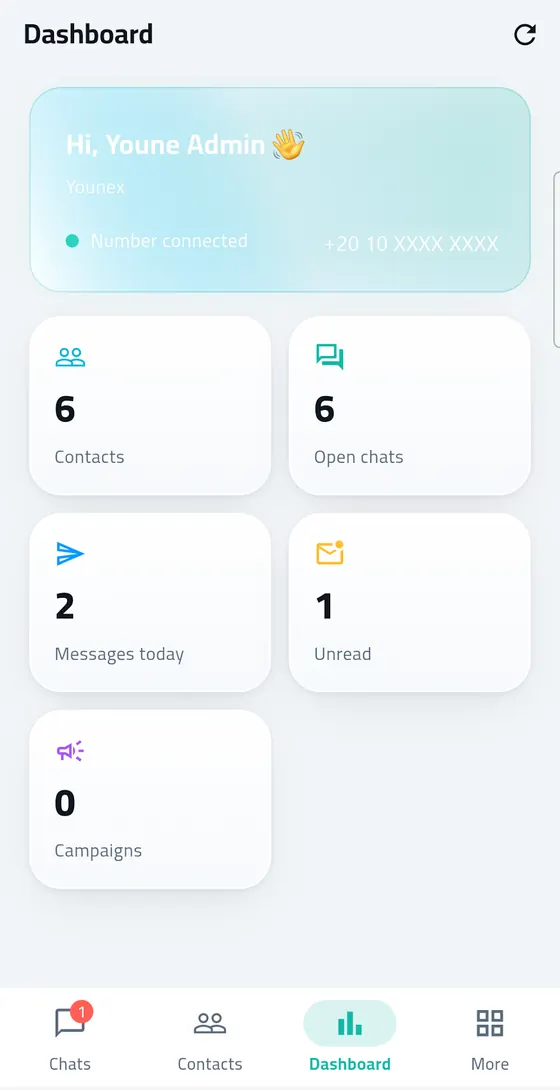
And in the Android app, Younex replaced the idea of a wrapped website app with fully native screens, covering replying to a message by swiping, reacting with emoji on a long press, recording voice messages, and notifications with a custom tone, with the interface language following the device's language. And this experience is in keeping with what Younex offers in mobile app development.
Results and impact
Marsal Cloud has become a complete operating platform for communication over WhatsApp, giving companies capabilities that previously required several separate tools or a dedicated technical team:
At the business owner's level
- They can now activate the WhatsApp API for their number and begin work from one Arabic dashboard without calling on a developer.
- They now see all the business's conversations, who is handling each of them, the speed of response, and the level of customer satisfaction.
- They now send campaigns and notifications with approved templates and in a way that respects Meta's policies and customers' choices.
- They now connect their online store so order and shipping notifications reach customers automatically.
- They now choose the package suited to the size of their business, and upgrade it when they need more features.
At the team's level
- Several employees now work on the same number with a fair automatic distribution, without conflict or lost conversations.
- Handing a conversation between employees is now documented with notes and a clear record sparing the customer repeating their request.
- The automation takes on the repeated questions, and transfers the conversation to an employee when needed, so the team is free for the cases that need human intervention.
- Replying is now possible from the browser, the Windows program or the Android app with instant notifications.
At Younex's level
- Younex now owns its own digital product that it develops and operates continuously, reflecting its ability to build complete SaaS systems from the idea through to operation.
- The team has accumulated practical experience in the WhatsApp Cloud API, Meta's policies and app store requirements, which is put to use in clients' projects.
And if you need a similar platform or a custom system for managing communication with your customers, we would be glad to get in touch with you to discuss your business's needs.
Frequently asked questions
What is the Marsal Cloud platform?
Marsal Cloud is a SaaS platform Younex Solutions designed and operates, letting companies manage WhatsApp conversations through the official WhatsApp Business API from one Arabic dashboard comprising a shared inbox, campaigns, AI automated replies and a lead system.
What is the difference between Marsal Cloud and the WhatsApp Business app?
The WhatsApp Business app is designed for use from one phone, whereas Marsal Cloud relies on the official Cloud API interface allowing several employees to reply from the same number, with conversation distribution, campaigns with approved templates, automation, reports and integration with other systems.
How is a WhatsApp number connected to the platform?
After registering, the business owner presses the connect WhatsApp button on the numbers page, which opens Meta's embedded signup window for choosing the business account and the number and confirming it, then the platform takes on registering the number and enabling message reception automatically.
Does the artificial intelligence stop when an employee replies?
Yes. The automated reply in a conversation stops automatically as soon as an employee sends a manual message, and it can be restarted for each conversation separately, and a master switch is also available to stop all the automated replies in the workspace.
What integrations are available in Marsal Cloud?
The platform integrates with Salla, Zid, Shopify, WooCommerce and EasyOrder for order, shipping and abandoned cart notifications, and with Google Sheets for the reports and Google Calendar for booking meetings, and it also provides a programming interface and outgoing webhooks for connecting with Zapier, Make and internal systems.
Is the platform available on phone and computer?
Yes. The platform works from the browser on any device, and the "Marsal Cloud" app is available for Android devices on Google Play, in addition to a program for Windows supporting sound notifications and automatic updating.
How is each business's data protected?
Every business works in an isolated workspace that no other workspace reaches, and the connection keys with Meta are stored encrypted, with protection for the forms, limiting of login attempts and signing of the notifications exchanged with external systems, and the platform has undergone a comprehensive security audit.
Can Younex build a similar platform for my business?
Yes. Younex builds custom systems and software, chatbots and mobile apps connected to customer communication channels, and its experience in Marsal Cloud can be drawn on to design a solution suited to the nature and size of your business.